Integrations
Integrations that work today.
Payment by card and MobilePay, calendar buttons in booking emails, booking on your own website and your sales as a CSV file. What FlowDule works with now.
What FlowDule works with.
Payments, calendar, website and accounting. Pick a name to read how the connection works.
Payments
Calendar
Website
Names and logos belong to their owners and are shown only to say what FlowDule works with.
Six connections, each in its place.
Payments, calendar, website and accounting. Choose a place in FlowDule to see what is used there.
Show by place
-
Payments
Card payment online
The client pays by card when they book and when they shop in your webshop. You connect your own Stripe account, and online payment is switched on. Stripe's own card fees are settled separately with Stripe.
- Booking
- Webshop
-
Payments
MobilePay at booking and at the till
The client can pay with MobilePay when they book online. At the counter the till also accepts MobilePay, alongside card and cash.
- Booking
- Point of sale
-
Payments
Card terminal at the till
When the client is standing in front of you, they pay by card on a Stripe card terminal that belongs to the till in FlowDule.
- Point of sale
-
Calendar
Calendar buttons in booking emails
The booking email has buttons that add the appointment to Google Calendar or Outlook, and an attached calendar file for other calendars. The client has the appointment in their own calendar.
- Emails
-
Website
Booking widget for your website
A short code snippet shows booking, events, webshop or gift cards on your own site, directly on the page or as a pop-up. It works with WordPress, Wix, Squarespace, Webflow and others.
- Website
- Booking
- Webshop
-
Accounting
Your sales as a CSV file
Export your sales as a CSV file in Dinero format. You download the file yourself in FlowDule and take it on to your accounting.
- Accounting
Payments & POS
At the counter.
The till accepts card on the card terminal, MobilePay and cash. Card and MobilePay go through Stripe, just like payment online.
See Payments & POS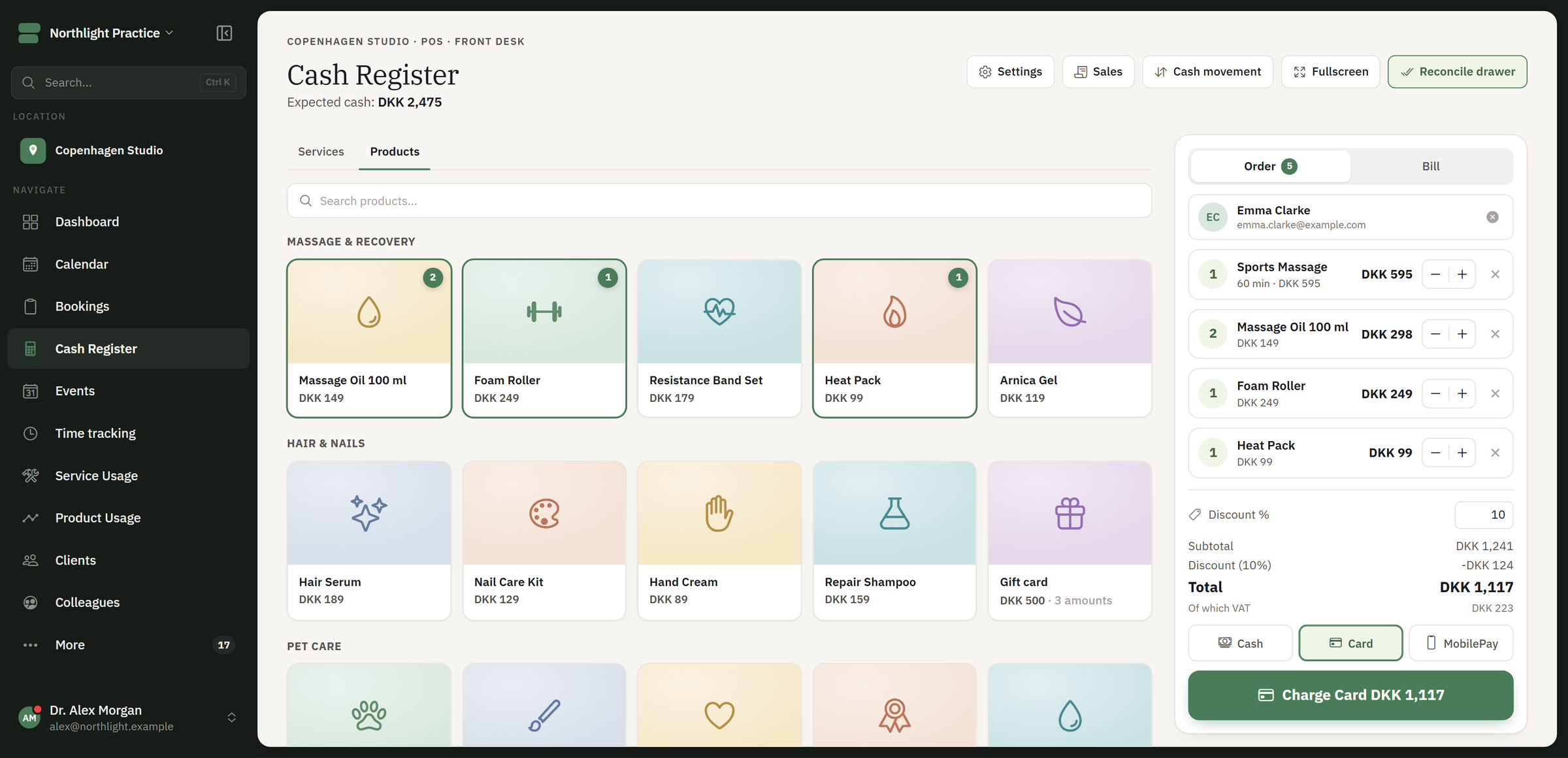
Booking on your own website.
Choose what your site should show, and how. The code changes with your choice. The client books without leaving your site.
<div id="flowdule-booking"></div>
<script
  src="https://klinik-nord.flowdule.com/widget.js"
  data-slug="klinik-nord"
  data-target="flowdule-booking"
  data-view="booking"
></script>
The example uses klinik-nord from the guide. Your own code is ready in the app under Settings > Online booking > Embedding.
Works with WordPress, Wix, Squarespace, Webflow and other sites where you can insert HTML. Read the guide in the Help Centre.