Webshop and gift cards, right next to your booking.
Sell your products online with delivery or collection. Sell gift cards that the client uses at their next booking or at the till. It all sits in the same system as the calendar and the clients.
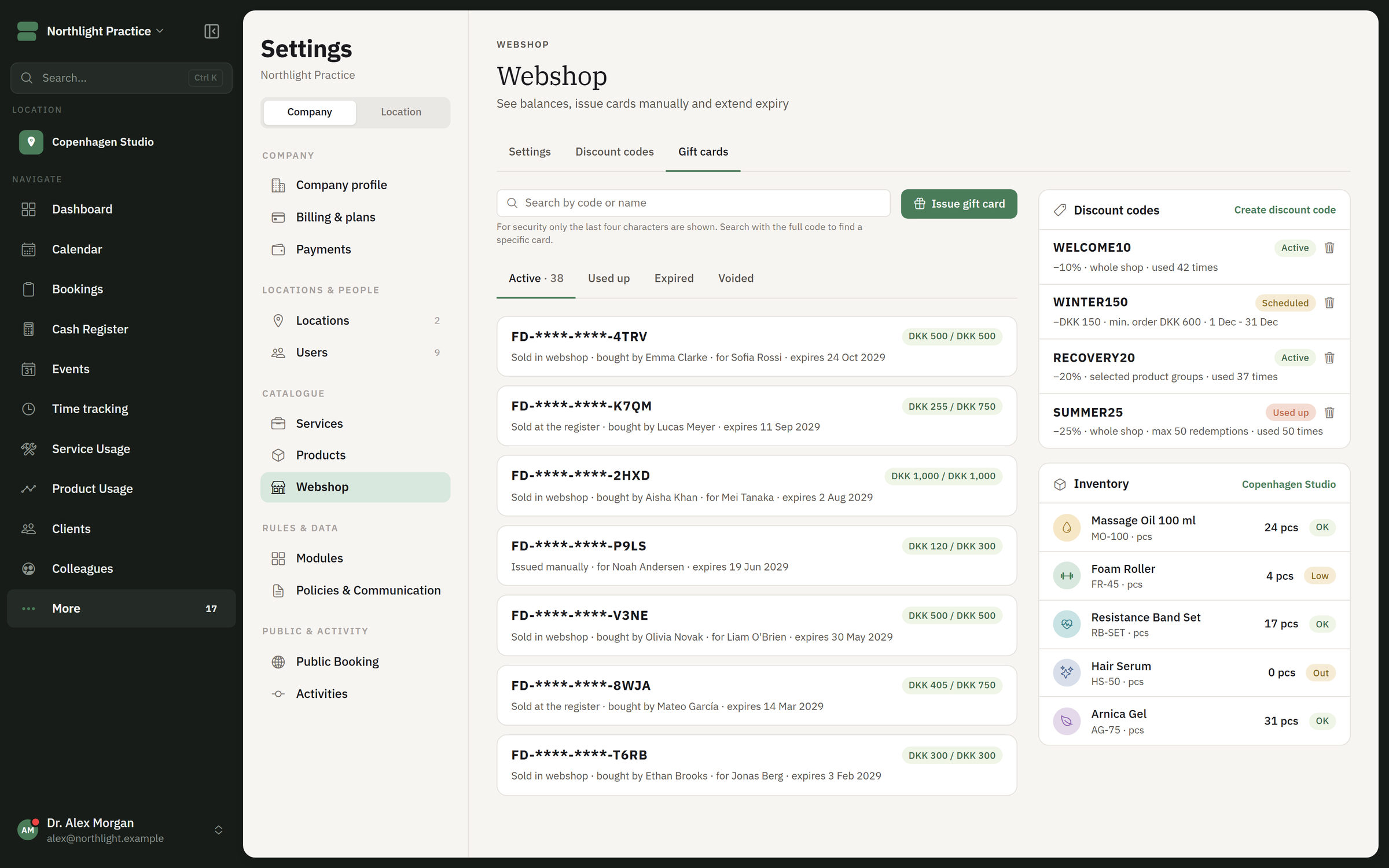
Gift cards, discount codes and stock in FlowDule. The screenshot shows fictional data.
A shop that knows your clients.
The webshop and the gift cards are connected to the till and the booking. You switch the module on when you need it.
01
Products online
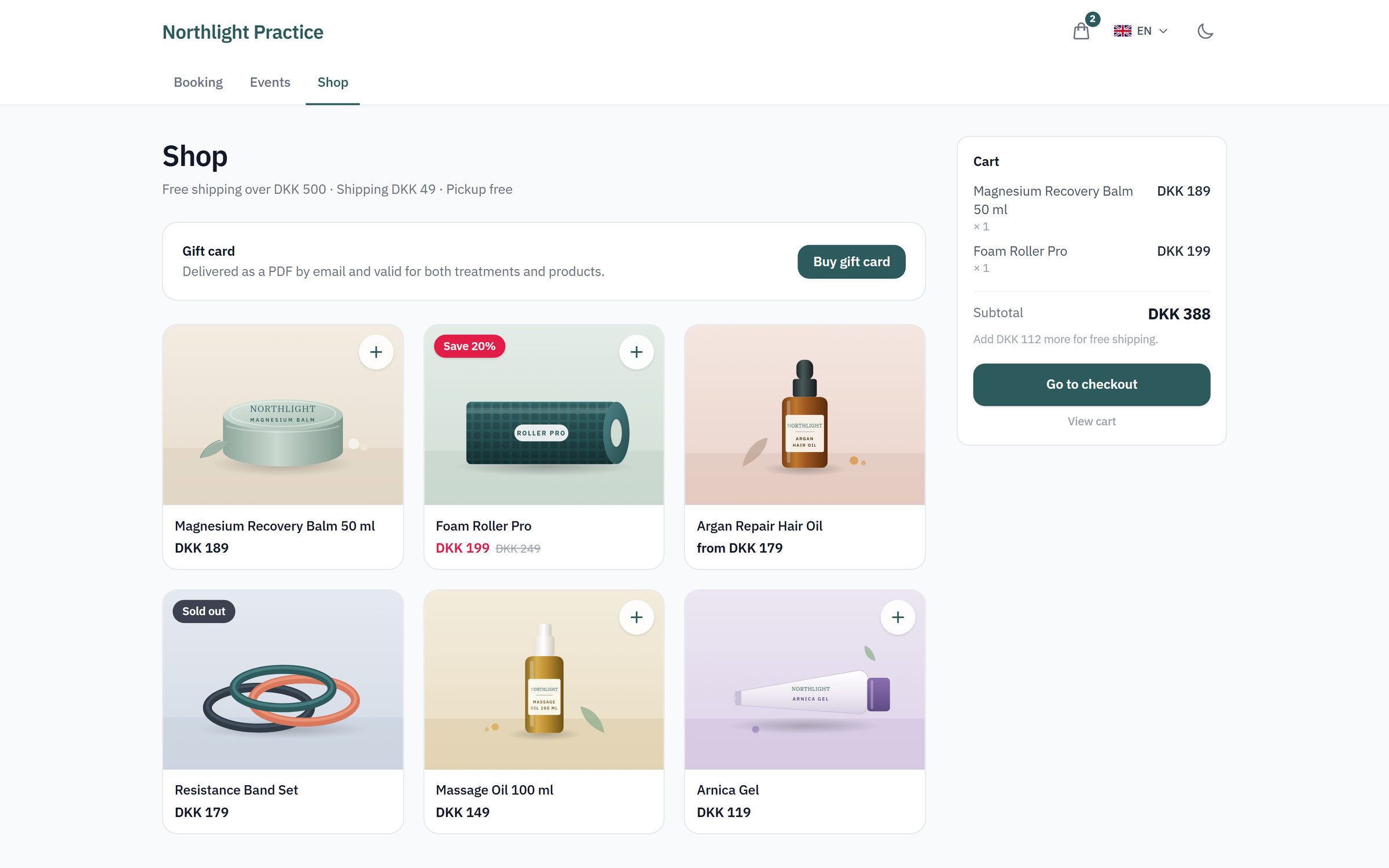
The client puts items in the basket and pays online. The item is sent by delivery, or the client collects it.
02
Gift cards
Gift cards are sold online and can be redeemed at booking and at the till. Each gift card has its own balance and status.
03
Discount codes
Give a discount on your products with discount codes.
04
Orders and refunds
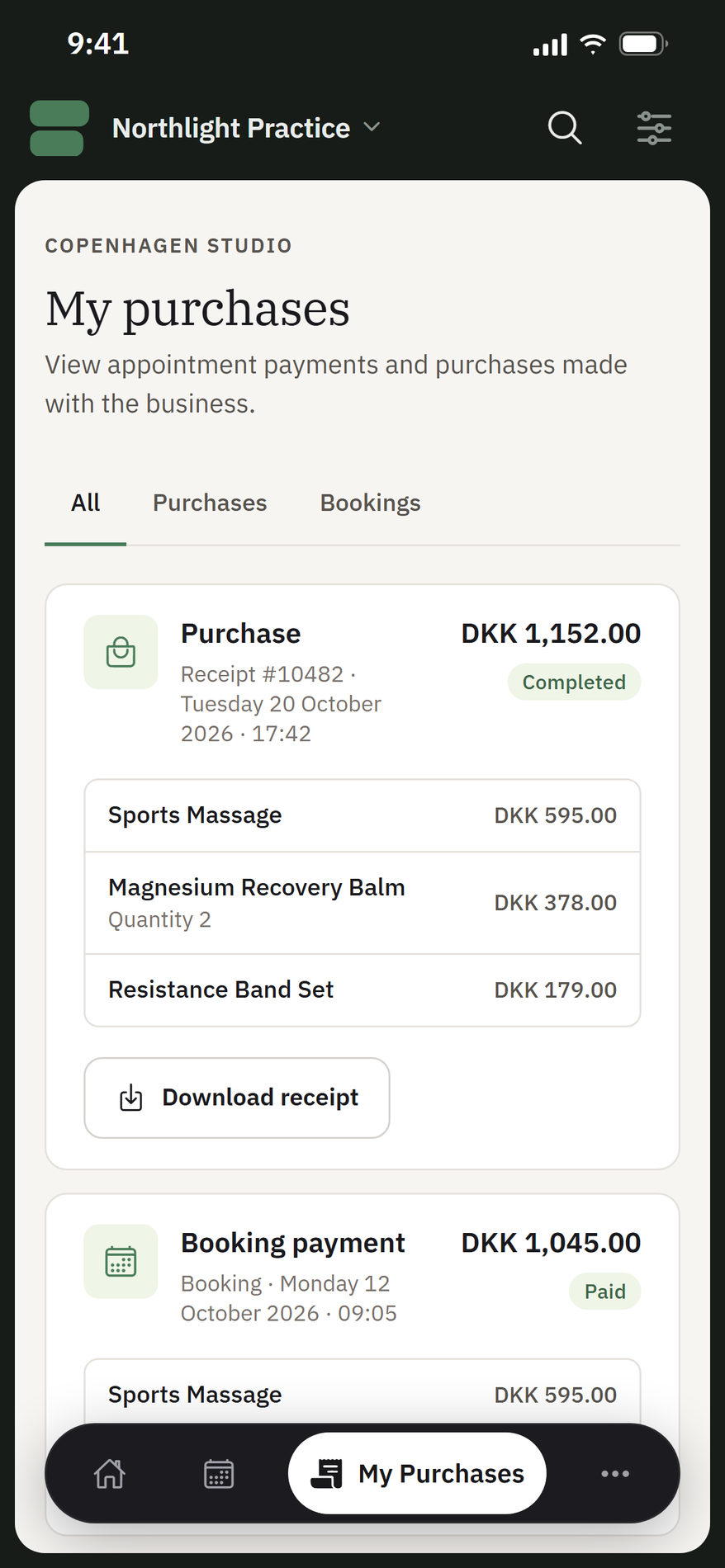
Orders are gathered in FlowDule. If an order needs to be reversed, it can be refunded.
05
A message when the item is back
If an item is sold out, the client can ask to be notified when it is back in stock.
06
On your own website
The webshop is embedded on your website without FlowDule's header and tabs. Gift card purchase can be shown as a view of its own. You get the code to insert ready-made from FlowDule.
The shop on your website and the purchases in the client portal. The screenshots show fictional data.
Fill the basket. Pay. Use the gift card.
Put products and a gift card in the basket, choose delivery and try the discount code. Once the order is paid, the gift card can be used at a booking and at the till. This is a sketch of the idea, not real data.
The shelf
The shop requires JavaScript.
ProductSold outGift card
Tap a product or a gift card to put it in the basket.
The basket
Empty
The order is paid
Gift card balance
Works together with.
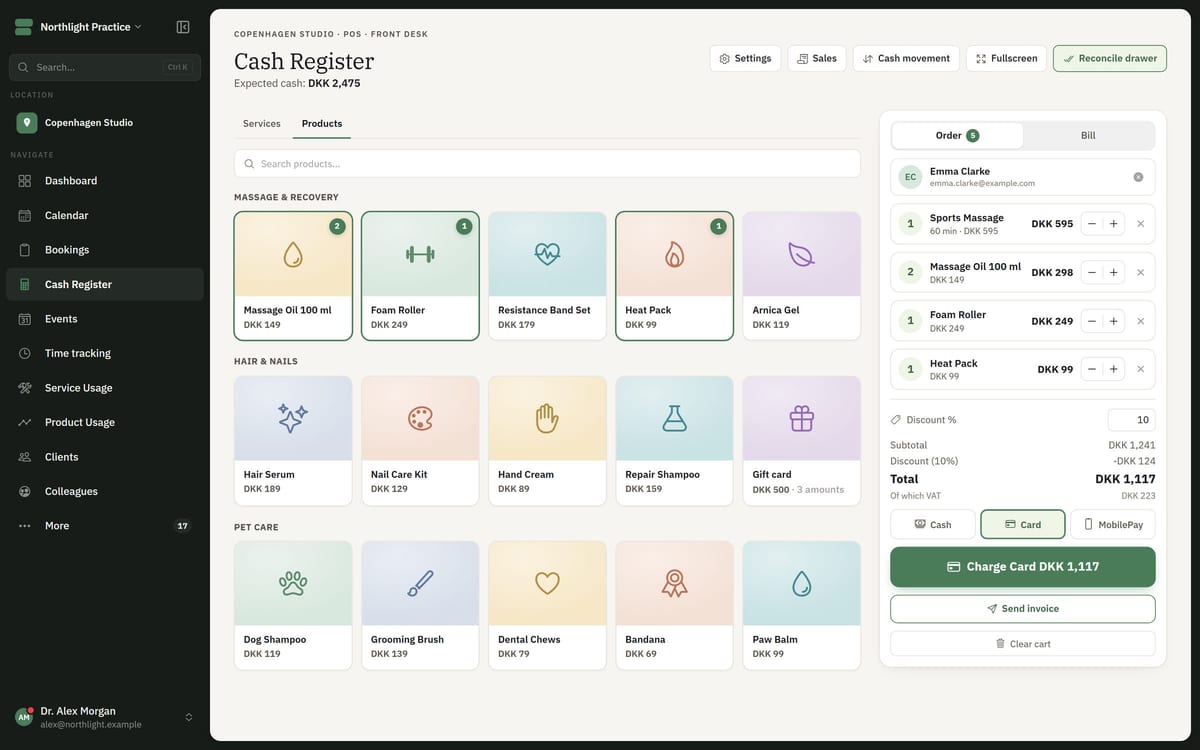
A gift card bought online can be used elsewhere in FlowDule. So the gift card has one balance, wherever it is used.