Trust CenterWebsite integration
Website integration and setup per business
This page describes how FlowDule's booking widget, booking page and setup per business work, so you can assess the integration options for your website.
Booking on your website, with your brand and your setup
FlowDule offers two ways to integrate booking on your website: a widget that can be inserted on any page, and a dedicated booking page with your own subdomain and branding.
Both solutions respect the separation between businesses. For booking, events, checkout and other data collection, the customer's own privacy text, purpose and mandatory fields must be shown or linked before submission; this is a requirement in our privacy policy. Cookies, local storage and third-party technologies are described in the cookie policy.
Read the cookie policyIntegration
The options for your website
Widget, booking page and configuration per business.
- Widget
Booking widget for embedding
A lightweight widget that can be inserted on any website. With data-view you choose whether it shows booking, events, webshop or gift cards, and the widget stays within that view.
- Booking page
Dedicated booking page
A standalone booking page on your own subdomain (yourbusiness.flowdule.com) with full branding and all booking functions.
- Business
Setup per business via a unique address code
Each business gets its own unique address code (slug), which controls the booking page, the widget configuration and API access. Everything is isolated per business.
- Branding
Branding and customisation
Logo, colours and texts can be customised so the booking experience matches your website and brand identity. The theme is controlled with data-theme (light, dark or automatic), and the language follows your chain unless you set data-locale.
- Configuration
Choice of services and practitioners
Control which services and practitioners are shown in the widget and on the booking page, per location and per business.
- Design
Responsive and mobile-friendly
Both the widget and the booking page have a responsive design, so clients can book from any device without losing functionality.
Widget
Insert booking directly on your existing website
FlowDule's booking widget can be placed on any page with a script tag. The snippet is generated in the app with view, theme and language.
data-view="bookingeventsshopgiftcard" data-theme="lightdarkauto"
Automatic follows the visitor's system setting.Light theme, regardless of the system setting.Dark theme, regardless of the system setting. The widget stays within the chosen view.
The customer must at the same time insert the relevant privacy and cookie text, and Stripe may only be loaded as part of a payment flow initiated by the user.
The bot protection Cloudflare Turnstile is only loaded at the step where a booking or event registration is submitted, on the contact form and on the webshop's form for stock notifications. The map is only loaded when the visitor clicks on it, and it then fetches map tiles from CARTO; addresses are looked up with OpenStreetMap Nominatim via FlowDule's own server, so the browser does not contact the service directly.
See securityBooking page
A dedicated booking page with your branding
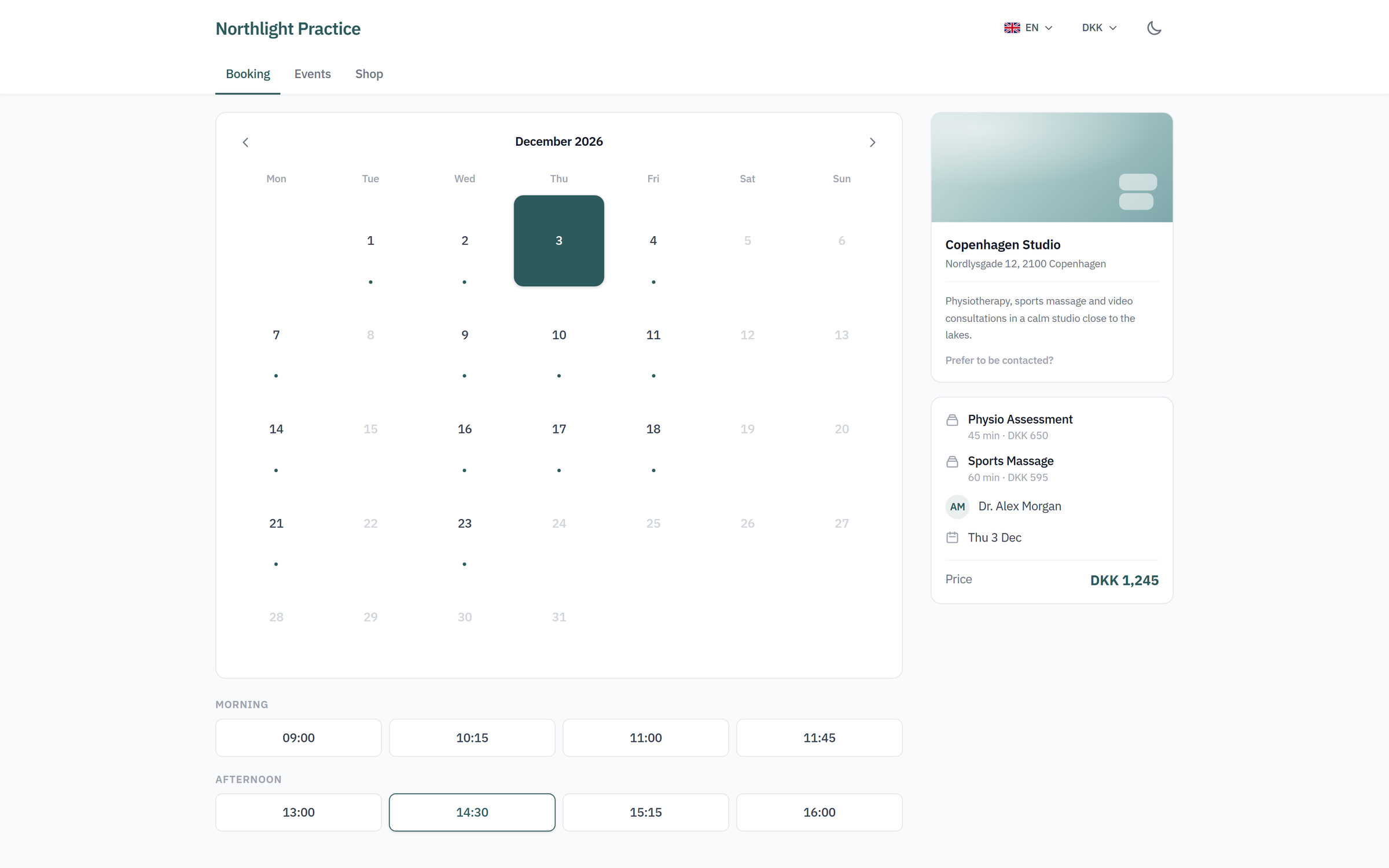
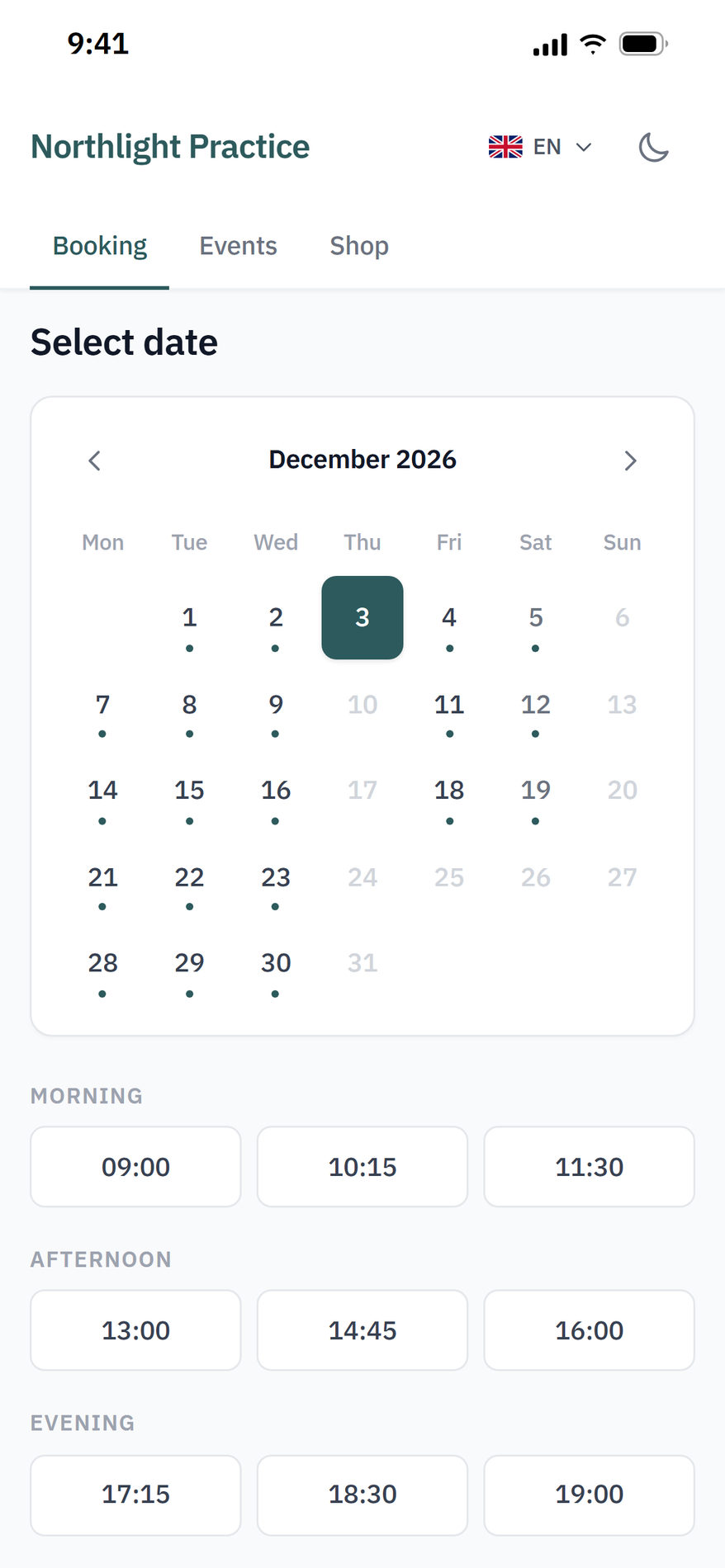
In addition to the widget, you can use a standalone booking page on your own subdomain. The page shows services, practitioners, locations and available times, all controlled by your configuration in FlowDule.
Back to the Trust CenterNext step
See the website integration in practice
Create a free account and see the booking widget, the booking page and setup per business in the running platform. Try FlowDule for 30 days. No credit card, no commitment.